
Building a Central Control Hub for Your Connected Home
By Elemon.co.uk – Products of Tomorrow… Today.
Introduction
The modern smart home has evolved far beyond simply asking a voice assistant to switch on a light. Today’s connected homes can intelligently control lighting, heating, security, entertainment, energy consumption, blinds, appliances and even garden irrigation. Yet despite all these advances, one common problem remains: too many apps and too many control methods.
One device controls the lights.
Another controls the heating.
A different app manages cameras.
Another app opens the garage.
Voice assistants work—until the internet drops or family members forget the command.
This is where a Smart Home Wall Panel changes everything.
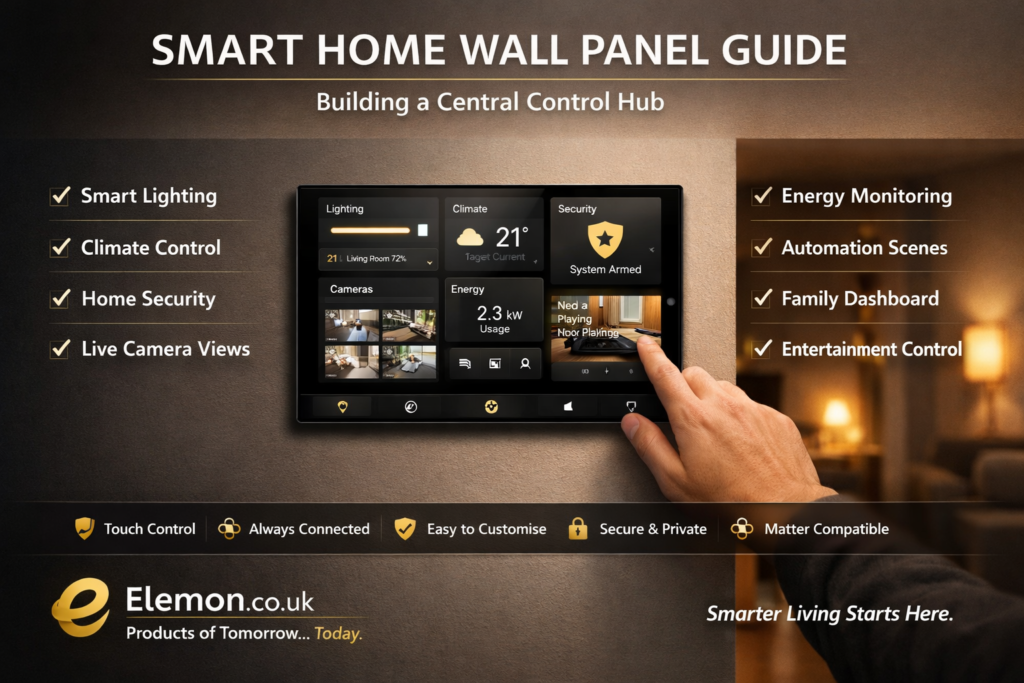
Instead of reaching for your phone every few minutes, a wall-mounted smart display becomes the home’s central command centre, giving every member of the household instant access to essential controls.
At Elemon.co.uk, we believe smart homes should be practical, intuitive and enjoyable to use. This guide explains everything UK homeowners need to know about planning, installing and configuring a dedicated smart home wall panel that feels like something from the future while remaining simple enough for everyday use.
What Is a Smart Home Wall Panel?
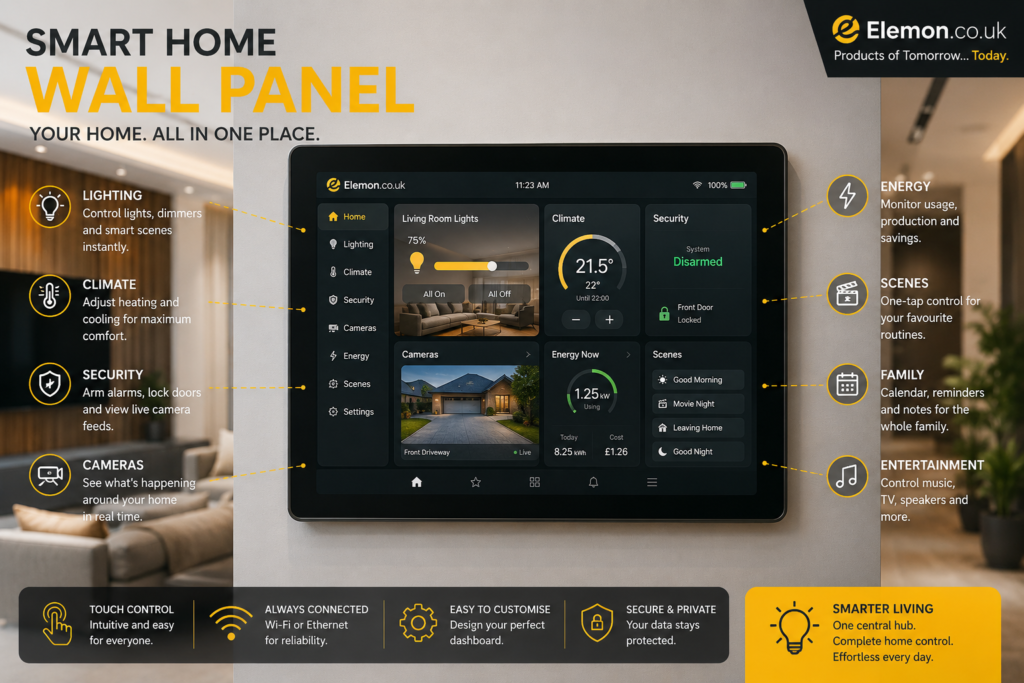
A smart home wall panel is a permanently mounted touchscreen that provides quick access to every connected device in your property.
Think of it as combining:
- Smart thermostat
- Light switches
- Security monitor
- Weather station
- Camera viewer
- Family calendar
- Music controller
- Energy dashboard
- Voice assistant
…into one elegant display.
Rather than opening numerous smartphone apps, you simply tap the wall panel.
Why Every Smart Home Benefits from One
Many homeowners eventually discover that smart devices become fragmented.
Typical homes may contain:
- Lighting app
- Heating app
- Doorbell app
- CCTV app
- Smart plug app
- Robot vacuum app
- Solar monitoring app
- EV charging app
A central wall panel brings these together into one easy-to-use interface.
Benefits include:
- Faster control
- Better accessibility
- Easier use for guests
- Improved family adoption
- Reduced dependence on phones
- Attractive modern appearance
- Real-time home information
Choosing the Right Location
Location determines how useful the panel becomes.
Entrance Hall
The most popular choice.
Perfect for:
- Alarm status
- Weather
- Leaving-home scene
- Camera overview
- Lighting controls
Kitchen
The kitchen is often the busiest room.
Useful functions include:
- Shopping lists
- Timers
- Recipes
- Lighting
- Music
- Heating
- Security alerts
Living Room
Ideal for entertainment.
Common controls include:
- TV
- Media centre
- Smart speakers
- Curtains
- Ambient lighting
- Heating
Upstairs Landing
Excellent for night-time control.
Features might include:
- Bedroom lighting
- Heating schedules
- Children’s room monitoring
- Security status
Wall Panel Hardware Options
Several approaches work well depending on budget.
Option 1 – Android Tablet
Affordable and flexible.
Advantages:
- Low cost
- Large display
- Easy replacement
- Thousands of apps
- Good customisation
Ideal screen sizes:
- 8″
- 10″
- 11″
Option 2 – iPad
Premium option.
Benefits:
- Smooth performance
- Excellent display
- Long software support
- Reliable battery
Ideal for users already invested in Apple’s ecosystem.
Option 3 – Dedicated Smart Display
Purpose-built smart displays often include:
- Speakers
- Microphones
- Voice assistant
- Cameras
- Motion sensing
Suitable for simple installations.
Option 4 – Industrial Touch Panel
Professional smart homes may use commercial touch panels designed for 24/7 operation.
Advantages include:
- High durability
- Flush installation
- Reliable power
- Long lifespan
Powering the Wall Panel
The biggest planning consideration is continuous power.
Popular solutions include:
Hidden USB-C Cable
Simple and inexpensive.
The cable runs inside the wall to a nearby socket.
Power over Ethernet (PoE)
One Ethernet cable provides:
- Power
- Network connection
Advantages:
- Reliable
- No visible wiring
- Continuous operation
Ideal during renovations.
Recessed Power Box
Many installers hide:
- Charger
- Cable
- Socket
inside a recessed wall enclosure.
Flush Mount vs Surface Mount
Flush Mount
Looks integrated into the wall.
Advantages:
- Premium appearance
- Minimal protrusion
- Professional finish
Requires wall cutting.
Surface Mount
Much easier installation.
Advantages:
- DIY friendly
- Easy upgrades
- Lower cost
Ideal for existing homes.
Choosing the Dashboard Software
Hardware is only half of the system.
The software determines how enjoyable the panel is to use.
Popular dashboard features include:
- Room navigation
- Lighting controls
- Camera feeds
- Heating
- Energy monitoring
- Weather
- Calendar
- Door locks
- Notifications
The interface should prioritise the controls you use most frequently.
Designing an Easy Interface
A cluttered dashboard quickly becomes frustrating.
Good layouts usually place the most important controls on the first screen.
Example home screen:
Top section:
- Time
- Date
- Weather
Middle:
- Lighting
- Heating
- Security
Bottom:
- Music
- Cameras
- Energy
- Automation
Simple icons and large buttons improve usability for every family member.
Lighting Control
Lighting is usually the most frequently accessed feature.
Common controls include:
- Whole house on/off
- Room dimmers
- Colour selection
- Brightness
- Scenes
- Night mode
Favourite scenes can be activated with a single tap.
Examples:
Morning
Evening
Movie Night
Dinner
Reading
Away
Holiday
Heating Dashboard
Instead of walking room to room adjusting thermostats, the wall panel can display:
Current temperature
Target temperature
Heating schedule
Boiler status
Energy use
Open windows
Individual room temperatures
Security Control
A smart wall panel becomes the home’s security centre.
Useful controls include:
- Lock doors
- Arm alarm
- Disarm alarm
- Camera feeds
- Motion alerts
- Video doorbell
- Garage status
- Window sensors
Many systems can automatically display camera feeds when the doorbell rings.
Energy Monitoring
Modern homes increasingly generate their own electricity.
The dashboard can display:
Solar production
Battery charge
Grid import
Grid export
Current usage
Daily costs
Weekly trends
Monthly savings
This helps homeowners identify unnecessary electricity consumption.
Smart Appliance Control
Useful appliances to include:
- Robot vacuum
- Washing machine notifications
- Coffee machine
- Air purifier
- Dehumidifier
- Smart plugs
- Fans
- Air conditioning
Family Dashboard
The panel can also act as a digital family organiser.
Features include:
- Shared calendar
- School reminders
- Shopping list
- Weather forecast
- Family location (if enabled)
- Daily tasks
- Message board
Voice Control Integration
Most panels support voice assistants alongside touchscreen controls.
Useful commands include:
“Turn off downstairs lights.”
“Set heating to 20 degrees.”
“Show front door camera.”
“Start movie mode.”
Voice and touch complement each other rather than replacing one another.
Automations That Make Life Easier
The real power of a wall panel comes from automation.
Popular routines include:
Good Morning
- Open blinds
- Turn on kitchen lights
- Read weather
- Start heating
- Display calendar
Leaving Home
- Turn off lights
- Lower heating
- Lock doors
- Arm security
- Turn off entertainment devices
Bedtime
- Lock doors
- Switch off downstairs lights
- Dim bedroom lights
- Activate alarm
- Reduce heating
Holiday Mode
- Randomise lighting
- Monitor cameras
- Pause heating schedules
- Notify unusual activity
Accessibility Benefits
Wall panels also improve accessibility.
Helpful features include:
- Large icons
- High contrast themes
- Voice control
- Easy-to-read text
- Quick emergency buttons
These features make smart homes easier to use for children, older adults and visitors.
Privacy Considerations
A central control hub manages sensitive information.
Best practices include:
- Strong passwords
- Two-factor authentication
- Regular updates
- Separate guest accounts
- Secure home Wi-Fi
- Limited remote access
- Encrypted cloud services where available
Common Mistakes to Avoid
Avoid these frequent installation errors:
- Mounting the screen too high
- Using an undersized display
- Overcrowding the dashboard
- Poor cable management
- Ignoring future upgrades
- No backup power
- Weak Wi-Fi coverage
- Too many unnecessary widgets
A clean, simple dashboard is almost always more effective than one filled with every possible feature.
Future Trends
Smart wall panels continue to evolve with advancements in artificial intelligence and home automation.
Emerging developments include:
- AI-powered routines
- Predictive heating
- Occupancy detection
- Gesture controls
- Face recognition (where supported)
- Improved energy optimisation
- Local AI processing for faster responses
- Greater compatibility through shared smart home standards
As these technologies mature, the wall panel is likely to become the digital heart of the connected home.
Final Thoughts
A smart home should make daily life simpler—not more complicated. A well-designed wall panel brings lighting, heating, security, entertainment and energy management together into one intuitive interface that everyone in the household can use.
Whether you’re starting with a single touchscreen in the hallway or building a fully integrated whole-home dashboard, careful planning, thoughtful placement and a clean interface will provide years of convenience.
At Elemon.co.uk, we’re passionate about helping UK homeowners embrace practical technology that genuinely improves everyday living. With the right central control hub, your home becomes more efficient, more secure and ready for the future.
Key Takeaways
- A wall-mounted dashboard centralises control of all smart home devices.
- Hallways and kitchens are often the most practical installation locations.
- Reliable power and network connectivity are essential for 24/7 operation.
- Keep the interface clean, intuitive and focused on frequently used controls.
- Combine touch controls with voice assistants for maximum flexibility.
- Include lighting, heating, security, energy monitoring and family information in one place.
- Plan for future expansion as your smart home grows.
Related Articles on Elemon.co.uk
- Smart Thermostat Calibration Guide
- DIY Smart Security Setup
- LED Strip Power Calculator
- Best Smart Plugs and How to Use Them
- Smart Home Starter Guide
- Best Smart Doorbells in the UK
- Smart Lighting for Every Room
- Home Energy Monitoring Explained
UK Safety Reminder
If your installation involves new mains wiring, recessed electrical boxes or modifications to fixed electrical circuits, consult a qualified electrician. Always follow UK Building Regulations and manufacturer installation guidance. Ensure any power supplies used for wall-mounted devices are safely installed and adequately ventilated.
Affiliate Disclaimer: As an Amazon Associate, Elemon.co.uk may earn from qualifying purchases. This comes at no additional cost to you and helps support our independent reviews and smart home guides.